
iPad Kiosk Solutions UAE | Anti-Theft iPad Kiosk Stands, Floor Stands, Wall Mounts | TechnoMounts
iPad Kiosk Solutions in UAE
Secure, professional iPad kiosk solutions for self-service ordering, reception check-in, visitor intake, queue forms, lead capture, and POS. This hub helps you choose the right setup fast, including anti-theft iPad kiosk stands, height-adjustable iPad floor kiosks, lockable desktop iPad enclosures, and iPad wall mount enclosures.

iPad Kiosk Stand
Anti-Theft Desktop Tablet Kiosk Stand (9–14″) (TMDS122)
Dhs. 269.00 AED (lockable kiosk, 360° rotation)
Problems
- Counter kiosks wobble and drift during constant tapping and swiping.
- Public access increases risk of device removal and daily tampering.
- Poor angle and placement slows self-service and check-in flows.
How it solves them
- Lockable kiosk format supports high-traffic customer-facing iPad stations.
- Stable base keeps the screen aligned during repeated interaction.
- Adjustable viewing supports faster, more consistent workflows.
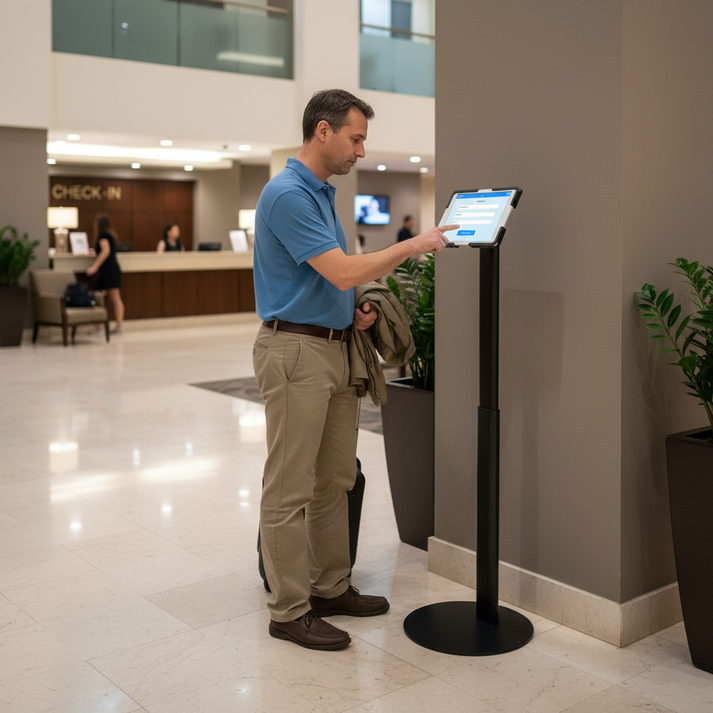
iPad Floor Kiosk
Tablet Floor Stand – Anti-Theft Height Adjustable Stand (9.7–13″)
Dhs. 420.00 AED (height adjustable, lockable enclosure)
Problems
- Self-service and lobby check-in fails when kiosk height is wrong for users.
- High-traffic areas increase theft risk and daily impact damage.
- Weak floor stands look unprofessional and drift out of position.
How it solves them
- Height adjustment helps match kiosk placement to your space and user flow.
- Anti-theft enclosure supports public-facing iPad kiosk environments.
- Stable floor setup keeps the station consistent day after day.
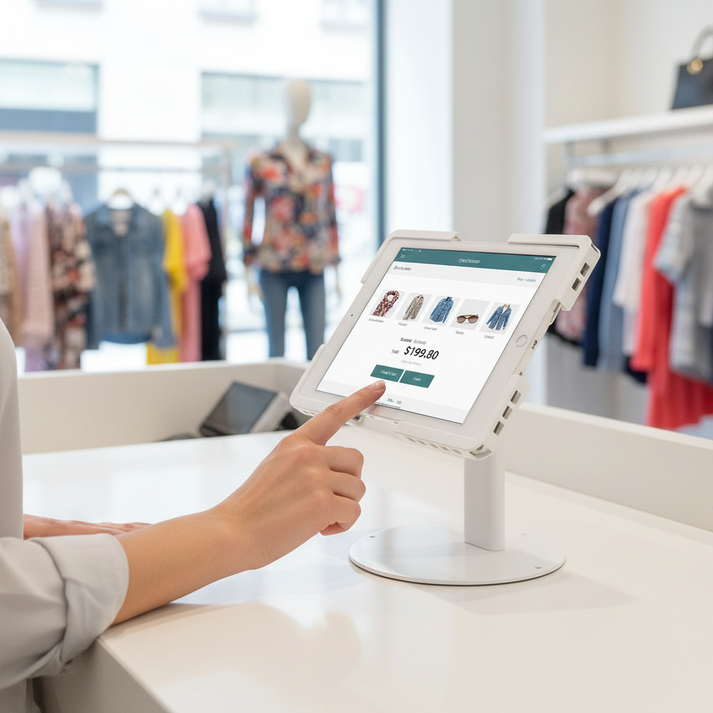
Desktop iPad Enclosure
Tablet Desktop Stand – Anti-Theft Lockable Enclosure (10.1–13″)
Dhs. 225.00 AED (lockable enclosure, cable management)
Problems
- Open tablets at service desks invite tampering and accidental drops.
- Counter setups drift during frequent customer interaction.
- Messy wiring reduces trust at checkout and reception.
How it solves them
- Lockable enclosure helps protect the iPad in public-facing setups.
- Stable desktop base supports repeatable positioning for daily use.
- Cleaner cabling supports a more professional counter station.

Countertop iPad Stand
Anti-Theft Universal Tablet Stand for iPad Tablets (10.2″–11″)
Dhs. 260.00 AED (lockable enclosure, desktop or wall use)
Problems
- Countertop iPad stations slide and rotate when they are not secured well.
- Assisted selling and POS flows break when the device shifts during use.
- Public-facing use needs more protection than a basic tablet holder.
How it solves them
- Anti-theft enclosure format supports stable, secure daily counter interaction.
- Size range matches common iPad business use cases (10.2 to 11).
- Clean placement improves speed for forms, support, and checkout workflows.
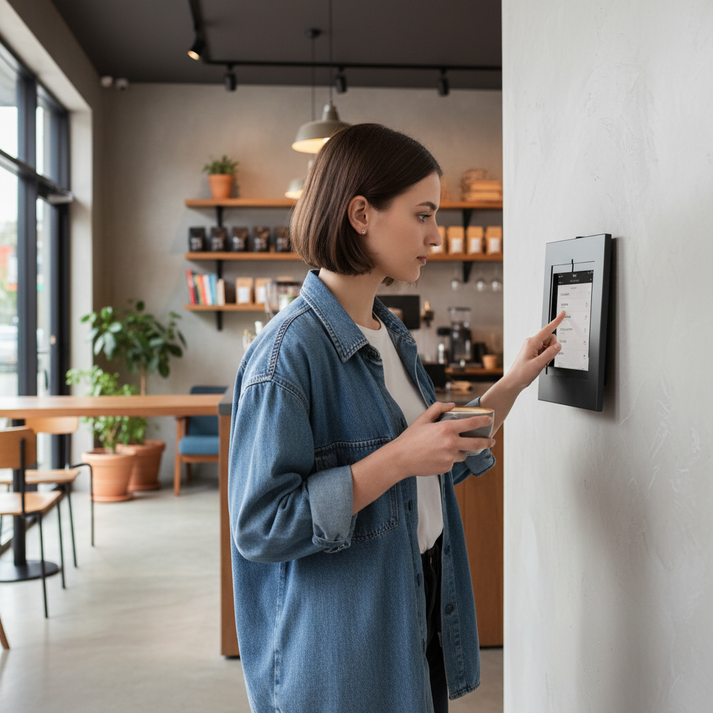
iPad Wall Mount Enclosure
Tablet Wall Mount – Anti-Theft Lockable Enclosure (9.7–11″)
Dhs. 130.00 AED (lock and key, wall enclosure)
Problems
- Wall-mounted tablets get pulled or tampered with in public corridors and counters.
- Check-in and ordering stations fail when cable management is messy.
- Unsecured wall installs look temporary and reduce user confidence.
How it solves them
- Lockable wall enclosure supports secure iPad placement for daily use.
- Fixed wall position keeps visibility consistent for customers and staff.
- Supports common iPad and tablet sizes (9.7 to 11).
Buying Checklist
Use this checklist to pick the right iPad kiosk solution for your space in the UAE.
1) Placement
Counter, floor, or wall. Choose placement first, then choose the stand type that matches your workflow.
2) Device size fit
Match your iPad size to the supported range: 9.7–11, 10.1–13, 10.2–11, or 9–14.
3) Security level
If the device is public-facing, prioritize a lockable enclosure or lockable kiosk format.
4) Workflow type
Check-in needs fixed visibility. Self-service ordering needs stable interaction. POS needs repeatable positioning and fast use.
5) Cable discipline
Public-facing kiosks should keep charging cables controlled to reduce pull-outs and downtime.
6) Rollout scale
For multiple locations, standardize one or two kiosk types so training, setup, and replacements stay simple.
Ideal For
Common iPad kiosk deployments where the device must stay secure, visible, and easy to use every day.
Reception and visitor check-in
Visitor intake forms and onboarding where the iPad must stay fixed, secure, and ready for continuous use.
Hotels and hospitality
Lobby check-in and guest flows where floor placement and professional presentation matters.
Retail assisted selling
Counter stations for product lookup, staff support, and customer forms with clean, secure placement.
Self-service ordering
Ordering and queue reduction kiosks designed for repeated public interaction.
Events and lead capture
Registration and lead forms that need fast throughput and stable hardware.
POS counters
Stable iPad POS setups that reduce wobble and keep checkout consistent.
Why TechnoMounts?
Every order comes with a streamlined experience reinforced by service and quality guarantees.


FAQs
Quick answers for buyers choosing iPad kiosk solutions in the UAE.
Which iPad kiosk solution is best for self-service ordering?
For high-traffic self-service, choose a lockable kiosk stand designed for repeated public interaction and stable daily placement.
When should I choose a floor kiosk instead of a countertop kiosk?
Choose a floor kiosk when the iPad is used standing in lobbies and queue areas. Choose a countertop kiosk for desks, counters, and checkout stations.
What is the best iPad kiosk solution for retail checkout and service counters?
A lockable desktop enclosure is usually best for counters because it keeps the device stable, protected, and consistently positioned during daily use.
How do I confirm my iPad will fit?
Open the product page from this hub and match your iPad size to the supported inch range listed on the page before purchase.